Patient confidentiality remains central to quality care and extends to protected health information (PHI), which includes data connected to a person’s medical history, treatment, or billing details. As healthcare environments become more digital, protecting PHI calls for more deliberate safeguards. A structured approach can help reduce risk and maintain trust. The following best practices highlight […]

PHI security best practices for healthcare organizations

Improve your PC experience with simple disk cleanups
Your computer collects junk files over time, which can slow down its performance. To keep your PC running at its best, it’s important to perform regular maintenance. In this article, we’ll explore how clearing out cluttered data with a disk cleanup can help optimize your system’s speed and overall functionality. What is disk cleanup? Disk […]

Beyond VMware: Choosing the right virtualization platform and storage
With Broadcom’s acquisition of VMware and recent licensing changes sparking concerns, many IT teams are rethinking their virtualization options. But switching from VMware isn’t just about picking new software. You need storage that can support your new virtualization platform. In this article, we’ll explore the most popular VMware alternatives, highlighting their key features, potential limitations, […]

A step-by-step guide to building your own PC
Take charge of your computing experience by building your own PC. This guide will walk you through every step, from planning and selecting components to assembling your system, helping you create a machine perfectly tailored to your needs. Start with a plan Before jumping into shopping or assembling your PC, you should first consider three […]
HDDs vs. SSDs: The differences between two storage solutions
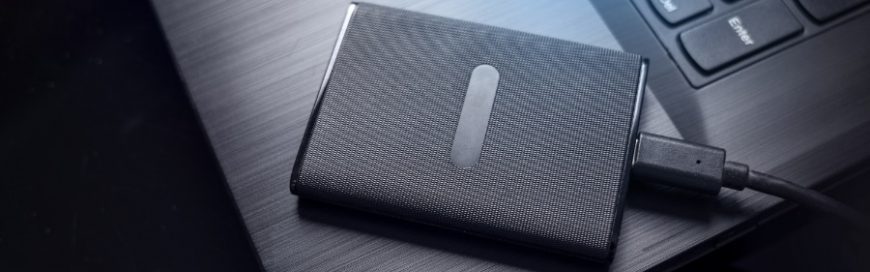
When it comes to data storage, two main types of drives dominate the market: hard disk drives (HDDs) and solid-state drives (SSDs). While HDDs, which use spinning disks to read and write data, have been the traditional choice, solid-state drives (SSDs), which rely on flash memory for faster performance and durability, are rapidly gaining popularity. […]
HDD vs. SSD: Which one should you get?
PCs and laptops typically came with hard disk drives (HDDs), but buyers can now also have the option to configure their system with either HDDs, solid state drives (SSDs), or in some cases both. In this blog, we’ll compare both storage drives so you can make the best decision for your needs.
Are your Windows 10 updates taking too long? Here’s what you need to do
Windows 10 users are well aware that installing updates can take a long time. We hear users complaining about it all the time. Why are Windows 10 updates so slow, and what can users do to speed things up? Here’s our take. Windows 10 updates take a while to complete because Microsoft is constantly adding […]
Data storage: HDD and SSD defined
When purchasing new computers, buyers used to have limited choices when it came to what kind of storage they got with their laptop or desktop PCs. But nowadays you can configure your system with either traditional hard disk drives (HDDs), increasingly common solid state drives (SSDs), or in some cases both.
Which is best, HDD or SSD?
The hard disk drive (HDD) has been the primary storage device for desktop computers and laptops for a long time. But with the invention of solid state drive (SSD) technology, consumers are now able to choose between the two. So which one should you go for — HDD or SSD? Read on to find out.
Is your Windows 10 update slow? Here’s what to do
All Windows 10 updates come with security fixes, exciting new features, and other assorted improvements, so it’s critical that you install them as soon as they become available. Unfortunately, downloading the necessary files can take ages if you don’t know how to optimize everything.
- 1
- 2